Changing your own site
Sign in, press Edit on any page, type in the boxes, save. On a phone if you like.
In this guide
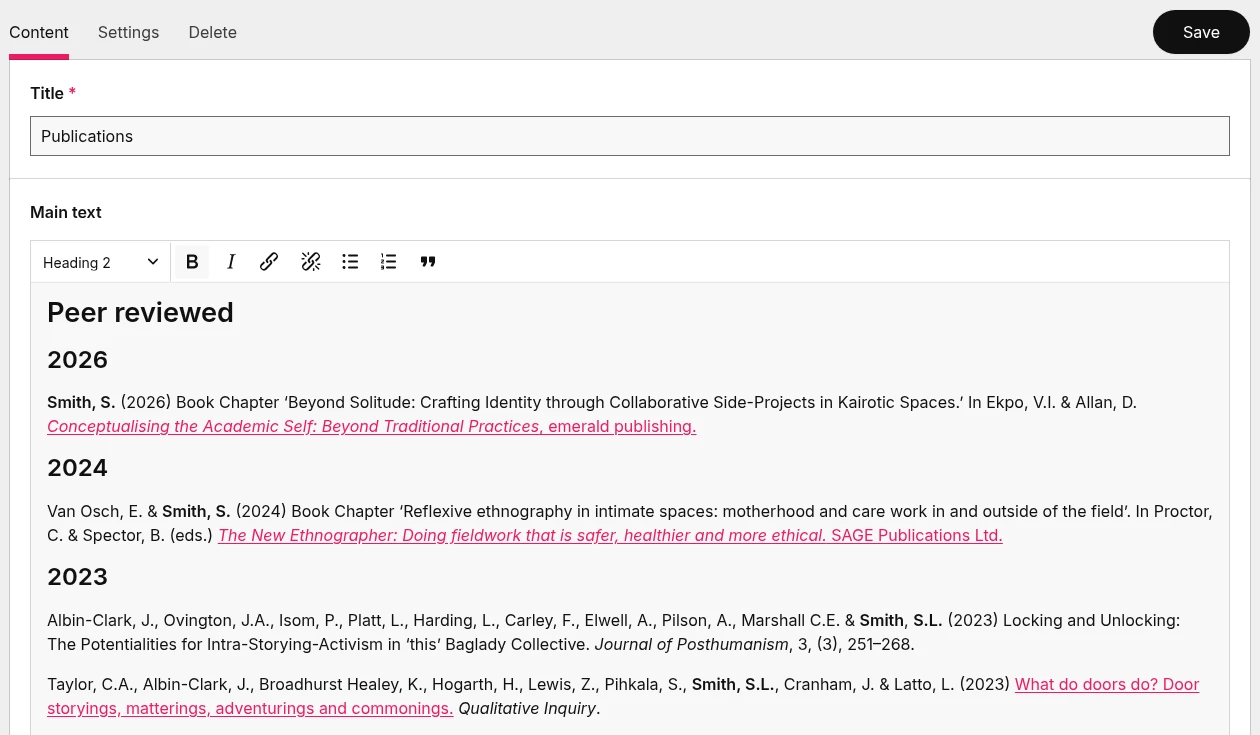
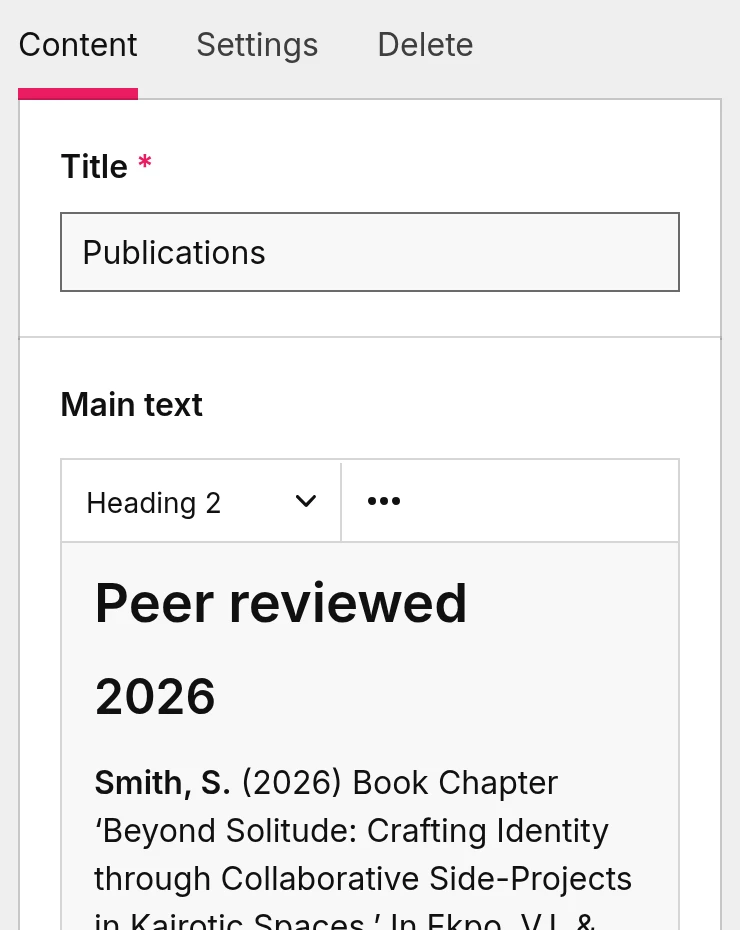

You do not need me to change a word, a picture or a date. Every Rosette comes with a way in.
Sign in on your own site. Your site has a sign-in page of its own. You sign in with your name and a password, and nothing else changes for your visitors.
Press Edit on any page. Once you are signed in, every page you look at has an Edit link at the top. Press it and the page opens as a form.
A box for each thing on the page. The heading, the main text, the picture, the line under the heading. Each box has a short note under it saying what it is for. There is nothing to drag around and no layout to break.
A short toolbar for the main text. Headings, bold, italic, links, lists and a quotation. Nothing else, on purpose. Text you paste from Word or an email keeps those and loses its fonts and colours, so a page never ends up in 3 typefaces.
Save, and it is live. No publishing step, no waiting for me.
On a phone. The form fits a phone screen, so a date can be changed from the train.
Nothing you can break by accident. You sign in as an editor, not an administrator. Menus, settings and code stay with me. If you only ever want to change words and pictures, I switch on a simpler view with the extra buttons hidden.
Built to work with a keyboard and a screen reader, like the rest of the site. The boxes are labelled, the buttons are named and the Edit link is the first thing on the page.
Or send it to me. If you would rather not touch it, email me the change. Small changes are part of the monthly price.
Ready to talk? Book a chat